Using Passkeys to sign-in your Google Workspace account
How do passkeys work?
Sites and services that support passkeys rely on a private key that is securely stored on your device to allow access. To sign in, the system relies on a simple unlock method, such as a fingerprint, face scan or PIN code, along with additional authentication methods, if needed.
How to enable passkeys for your Google account
The simplest method to enable Google account passkeys for the first time may be to go to https://g.co/passkeys, sign in to your account and follow the instructions. During the process, you may need to enter your password as well as authenticate to your device (e.g., with a fingerprint, PIN code or swipe pattern). A few of the key steps during this process on an Android phone are shown below.
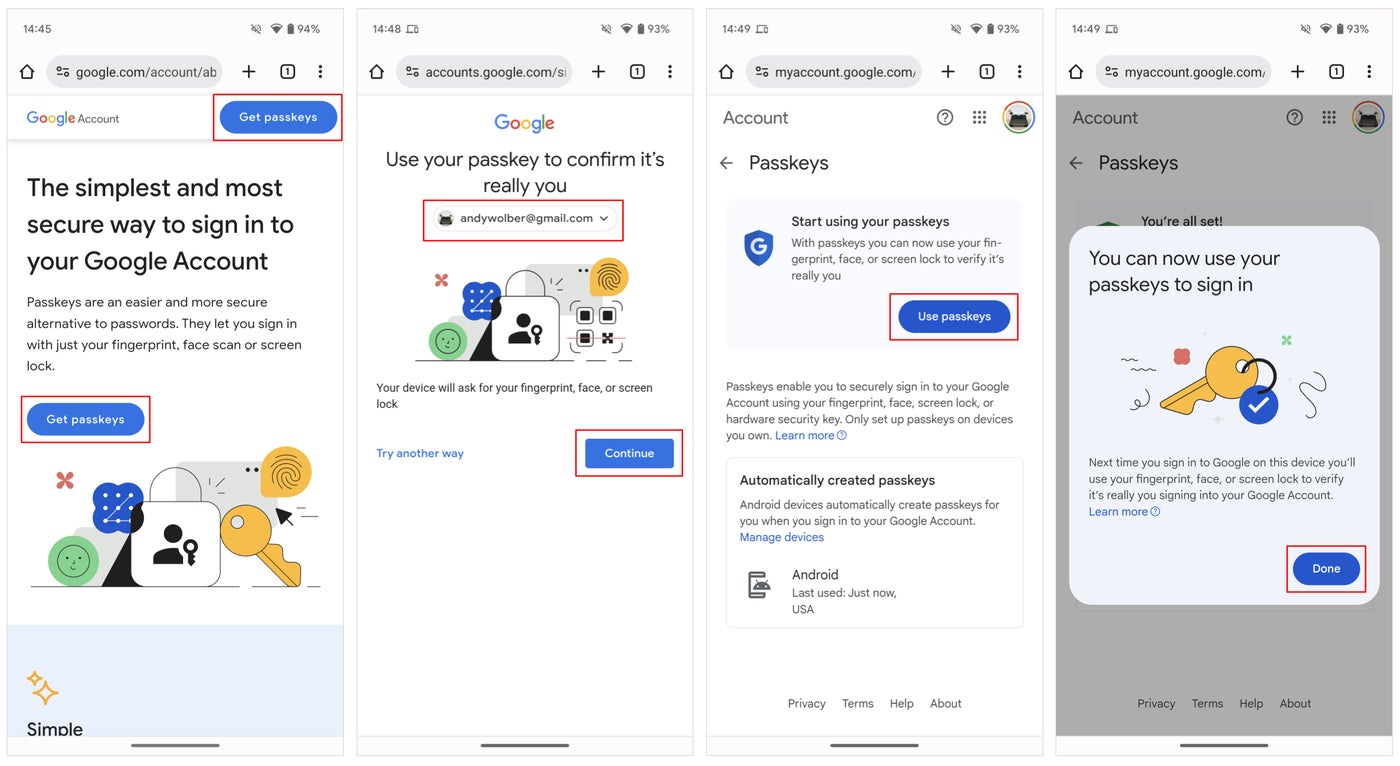
Go to g.co/passkeys and follow the steps to start using passkeys on your device. Image: Andy Wolber/TechRepublic
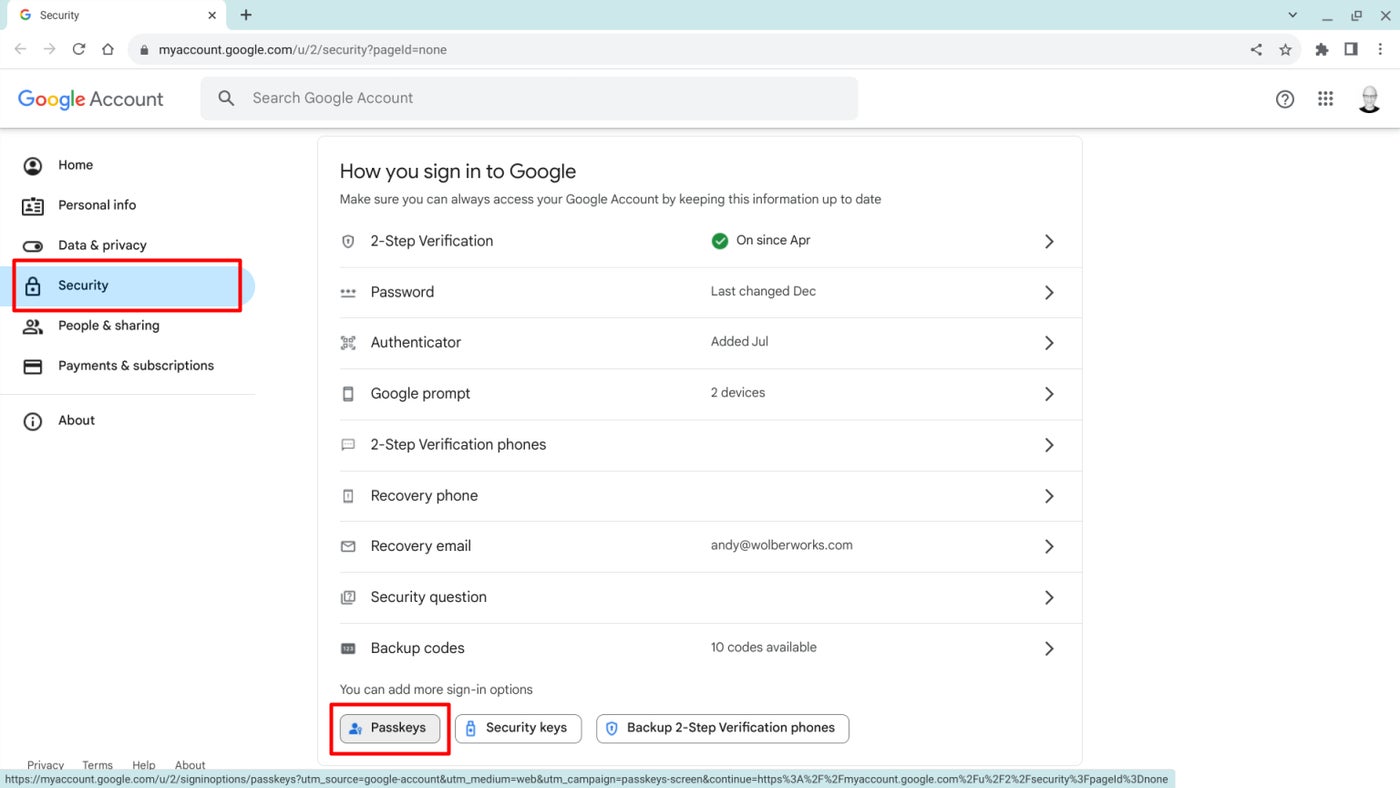
To add and manage passkeys within your Google account on the web:
- Sign in to manage your Google account at myaccount.google.com.
- Select Security.
- In the How You Sign In To Google section, select Passkeys (Figure B). If you have already enabled Passkeys, that option will display in the section with other methods, such as Authenticator or Google prompt.